-
Shopping cart is empty
-
x
Drone parts and accessories – fast shipping across the EU and to Ukraine, reliable components, technical support.
-
Language

- Currency: EUR
- Customer zone


-
Shopping cart is empty
-
x
-
-
-
Shopping cart is empty
-
x
For free delivery are missing -,--Free delivery!Sum NETTO 0 €Sum Gross 0 €Price includes discounts -
-
BETAFPV LiteRadio 2 SE Mode 1 Radio Controller for FPV Simulator Training
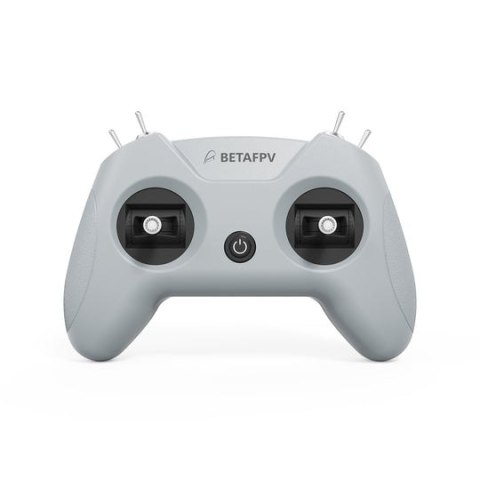
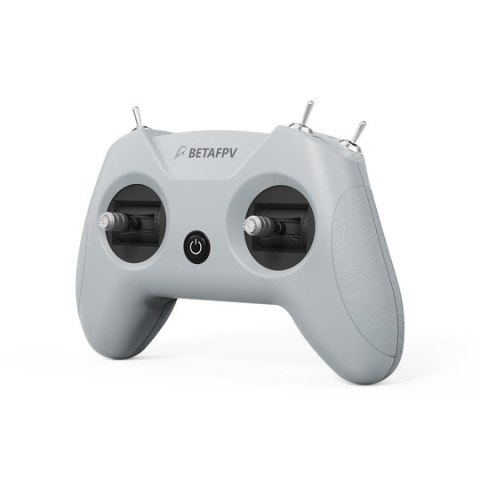
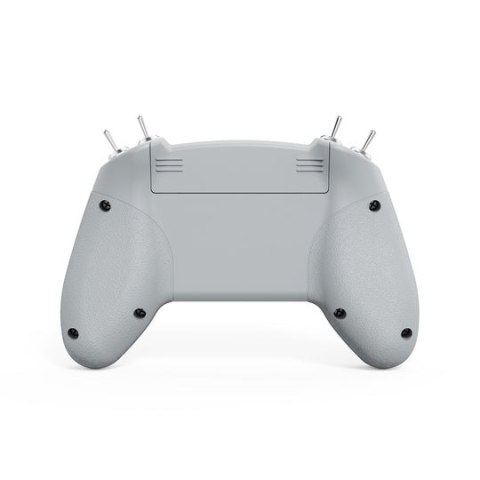
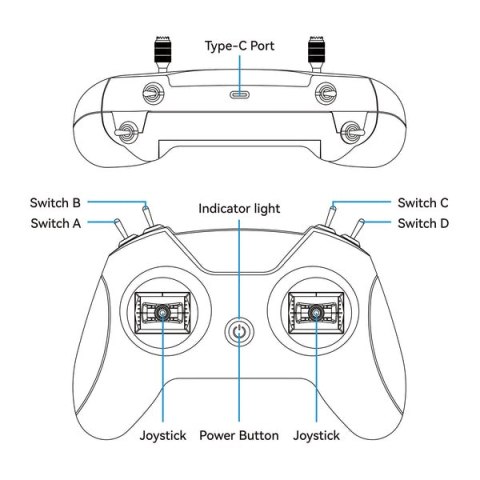
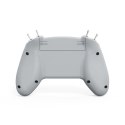
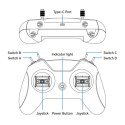
Master your FPV skills with the BETAFPV LiteRadio 2 SE Mode 1 controller. Designed exclusively for simulator training, this controller offers an authentic FPV flight experience without real-world risk. Compatible with all major FPV simulators like DRL, VelociDrone, and DJI Virtual Flight. Its ergonomic design and precise gimbals ensure comfortable, accurate practice. Easily connect via the front USB-C port for plug-and-play operation. Get the best deal on this essential FPV training tool at HTDRONE and enhance your piloting abilities.
| Enter your email |
| Reviews | |
| Price of consignment | 35 |
| The Availability Of |
|
| Leave your phone |
Introduction
The BETAFPV LiteRadio 2 SE Mode 1 controller is your perfect partner for mastering FPV drone piloting without the risks associated with actual flights. Specifically engineered for simulator training, it provides an incredibly realistic flight feel, allowing you to hone your skills on a variety of platforms. Whether you're a beginner looking to learn the basics or an experienced pilot wanting to practice advanced maneuvers, this controller is designed to elevate your training experience.
Key Advantages
- Dedicated Simulator Training: Offers an authentic FPV flight experience without the risks of real-world flying.
- Universal Simulator Compatibility: Works seamlessly with all major FPV simulator platforms including DRL, VelociDrone, DJI Virtual Flight, and Phoenix RC.
- Plug & Play Convenience: Features a front USB Type-C port for easy connection to computers, tablets, or mobile phones.
- Precise Control: Equipped with the latest BETAFPV gimbal and LiteRadio system for highly responsive and accurate simulator control.
- Future-Proof Updates: Supports firmware updates via BETAFPV Configurator, ensuring compatibility with new simulators and features.
- Ergonomic Design: Built for comfort during extended training sessions.
- Multiple Color Options: Available in 6 vibrant colors including Light Grey, Red, Sapphire Blue, Mint Green, and Pink.
- Mode 1 Configuration: Throttle control is assigned to the right stick, ideal for pilots preferring this setup.
Technical Specifications
- Product: LiteRadio 2 SE Controller
- Channels: 8
- Gimbal: Potentiometer Gimbal
- Power Input: 30mA/5V
- Port: USB Type-C
- Power Supply: USB Cable Connection
- Operating Temperature: -10°C to 40°C (14°F to 104°F)
- Weight: Approx. 150g
- Dimensions: 64.5 x 115.3 x 164.6 mm
- Throttle Control: Right Stick (Mode 1)
- Color: Light Grey
Applications
This controller is primarily designed for FPV simulator training. It's ideal for practicing flight control, learning new maneuvers, and improving overall piloting skills for drone racing, freestyle, and cinematic FPV flying. Its versatility makes it suitable for a wide range of FPV applications practiced in virtual environments.
Compatibility
The LiteRadio 2 SE SIM controller offers universal compatibility with all major FPV simulator platforms on Windows, macOS, and Android systems. It connects easily via a front USB Type-C port, functioning as a joystick, Xbox controller, or dongle for maximum flexibility.
FAQ
What is the BETAFPV LiteRadio 2 SE Mode 1 controller best used for?
The BETAFPV LiteRadio 2 SE Mode 1 controller is specifically designed for FPV simulator training. It provides a realistic flight feel to help pilots practice and improve their skills without the risk of crashing a real drone. It's compatible with all major FPV simulator platforms.
Which FPV simulators are compatible with the LiteRadio 2 SE Mode 1?
The LiteRadio 2 SE Mode 1 controller is universally compatible with all major FPV simulator platforms, including DRL Simulator, VelociDrone, DJI Virtual Flight, and Phoenix RC, on Windows, macOS, and Android systems.
How does the LiteRadio 2 SE Mode 1 connect to a computer?
Connection is simple via the front USB Type-C port. It functions as a standard joystick, Xbox controller, or dongle, offering plug-and-play convenience for easy setup with your simulator.
Where can I buy the BETAFPV LiteRadio 2 SE Mode 1 controller with fast delivery?
You can order the BETAFPV LiteRadio 2 SE Mode 1 controller from HTDRONE, based in Poland. We offer fast and reliable shipping options, including worldwide delivery via DHL, ensuring you receive your FPV training tool promptly.
What does 'Mode 1' mean for this controller?
In Mode 1 configuration, the throttle control is assigned to the right stick. This setup is preferred by some pilots for specific control preferences during FPV flight simulation.